Hunting for SCShell Usage Using ELK
Dec 16, 2019 // hunt hunt hunt // Linkedin // TwitterIntroduction
In today’s post we’re going to create detections and hunt for the usage of the recent lateral movement technique called SCShell .
In a nutshell, the SCShell technique is born from the limitation of lateral movement attacks like remote service creation that required the attacker to drop files on the remote filesystem. Raphael Mudge’s post Covert Lateral Movement with High-Latency C&C explains how it is possible to create remote services to execute cobaltstrike’s beacon after transferring it to the target’s host. The aforementioned technique leaves considerable traces on the target host:
- A new service is created (Event ID 4697 );
- The cobaltstrike beacon is dropped on the target’s filesystem.
For reference, my post on lateral movement explains how to use remote service creation to compromise remote machines. SCShell, however, does not create a new service but modifies the binary path of an existing one to execute code. At an high level, the flow of the technique is the following:
- Opens the remote services manager using
OpenSCManagerW:
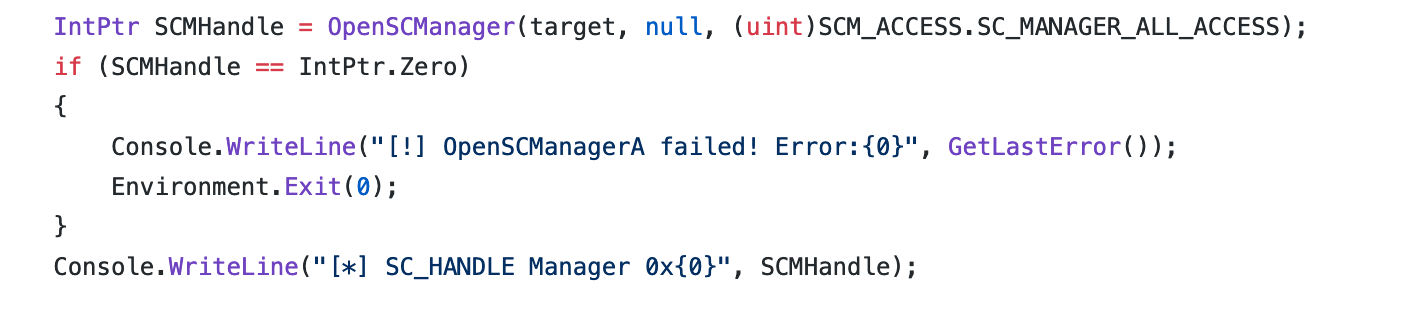
- Opens the target service (which needs to be specified beforehand) using
OpenService:

Saves the old binary path used by the service, in order to restore after the command is executed.
Changes the configuration of the service using
ChangeServiceConfigA:

- The new binary, by default, is
C:\windows\system32\cmd.exe /cfollowed by the command supplied by the user; - Starts the target service;
- Restores the previous configuration.
## Lab Setup
The lab I used to practice with these detections is fairly simple:
- Windows Server 2012 as a target host;
- My macOS as attacking machine (RAM ain’t free mannn)
- Elasticsearch and Kibana deployed within Docker containers running on my host.
Hunting Time
Having analysed how the technique works, in my opinion the two actions where we can build detection on are:
- The configuration of a service is changed
AND
- The binary file of a service gets replaced with
cmd.exe
I did a couple of experiments to build detection for this technique and I started using osquery’s service table to look at changes made to service’s configuration. What I did was creating a query pack in differential mode:
SELECT name, path FROM services WHERE path LIKE '%cmd.exe%'
Differential mode means that osquery will output only the differences bewteen the last query and the current one. It seemed ideal and the output was something like the following:

I quickly realised how unreliable was this approach, with standard tables like services osquery takes only a snapshot of the current system’s status. SCShell however changed the configuration of the target service only for a couple of seconds, and therefore to have robust detection you would have to schedule the aforementioned query very frequently, with a consequent load on the monitored system.
osquery overcomes this by using his eventing framework , that allows you to queue events and send them as a result in the next scheduled query. Usually tables that ends with _events support the eveenting framework, but unfortunately for us, the service one doesn’t.
I decided to switch to Windows event log analysis using Winlogbeat and Elasticsearch; more specifically monitoring the event 4657 - A registry value was modified and analysing the value of the changed registry key allowed me to build a quite robust detection.
Before being able to receive event IDs 4657, you need to enable registry auditing. Why registry? Because every service’s configuration is stored under the registrty hive HKLM\SYSTEM\CurrentControlSet\Services:
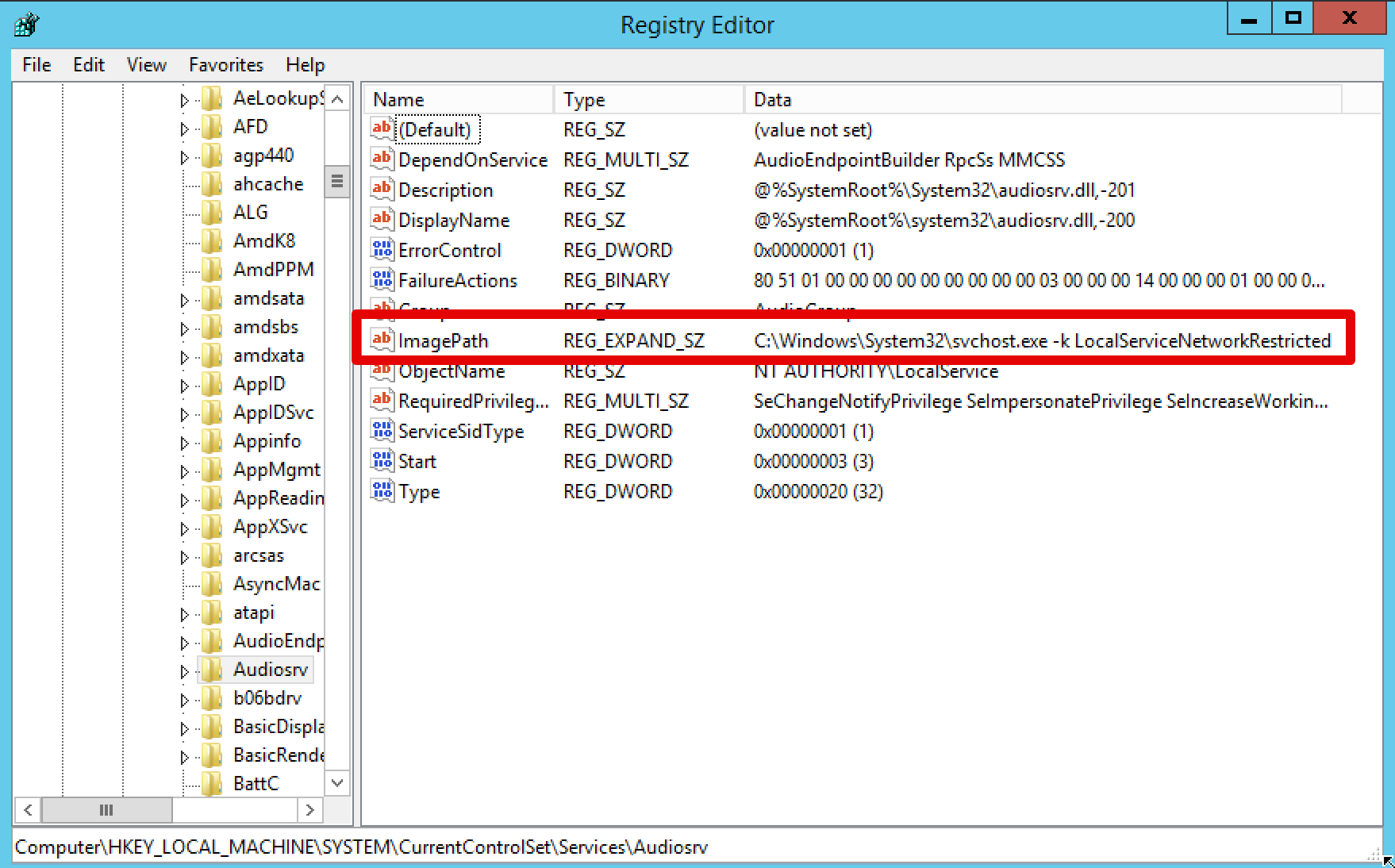
Monitoring changes in the registry under the Services hive would allow us to spot when a remote attacker will attempt to modify the configuration of a service.
To enable registry auditing you can follow a tutorial like this one . After setting up auditing for the registry keys, we can start hunting for the attack.
Let’s perform the technique from out attacking machine:
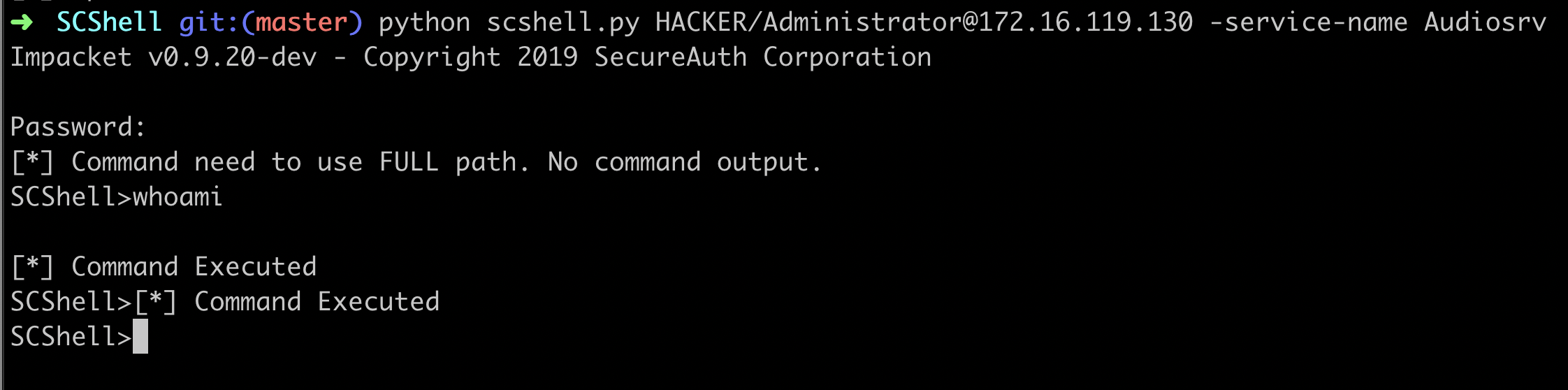
From out Kibana dashboard we can perform the following query:
(winlog.event_id:"4657" AND winlog.event_data.ProcessName:"C\:\\Windows\\System32\\services.exe" AND "cmd.exe\ \/c" AND "MACHINE\\SYSTEM")
adn as it is possible to see, we obtained some useful results:
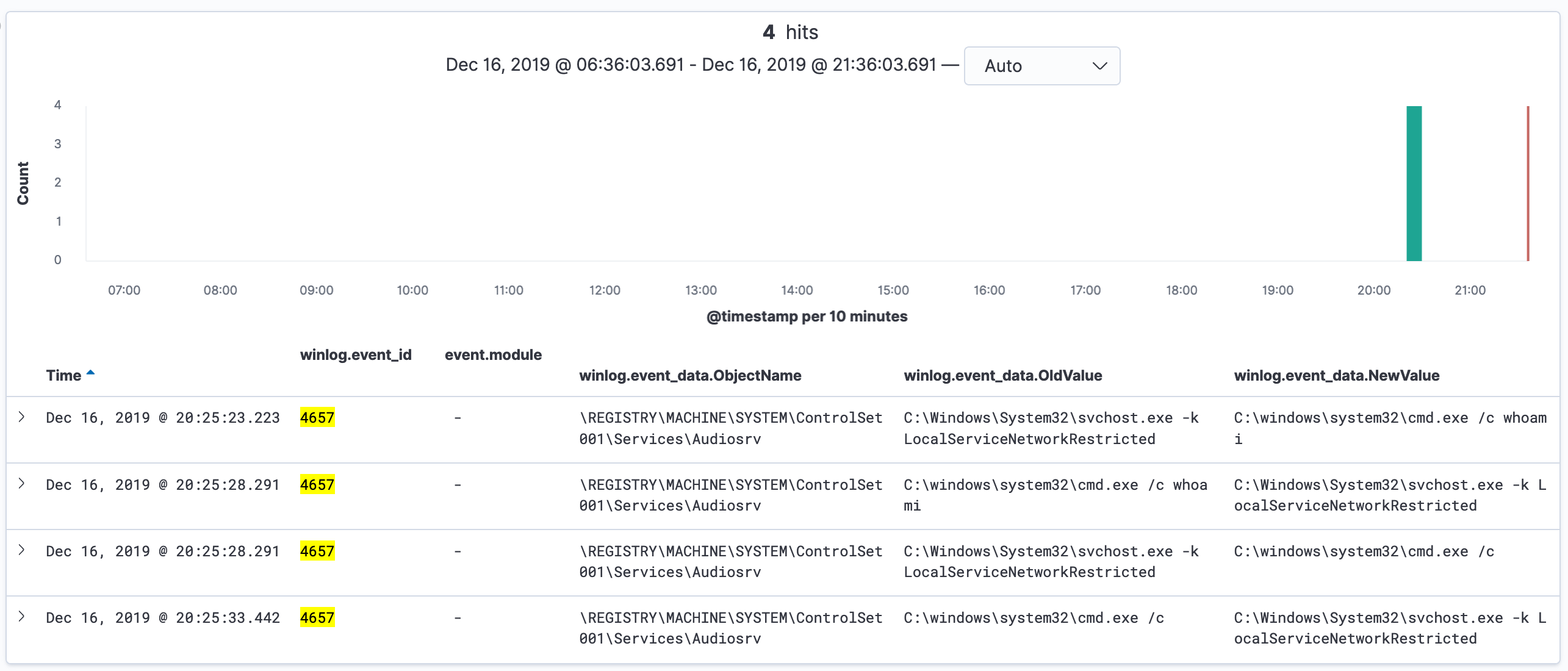
Inspecting the query’s output we can see that the registry key value associated with the Audiosrv service were changed with a whoami command.
Additionally, SCShell by default uses the XblAuthManager service as a target, it would be possible to filter only for that service if the proposed query generates too much false positives.
As an addition, this is the sigma rule to detect this attack:
title: SCShell Detection
description: Detects SCShell usage by monitoring for event id 4657 (A registry value was modified)
reference: https://riccardoancarani.github.io/2019-12-16-hunting-for-scshell-usage/
author: Riccardo Ancarani
logsource:
  product: windows
detection:
   selection:
      EventID: 4657
      ProcessName: 'C:\Windows\System32\services.exe'
   keywords:
      - 'cmd.exe /c'
      - 'MACHINE\SYSTEM'
   condition: selection and all of keywords
falsepositives:
   - Using services that contain cmd.exe as a binpath
level: high
Caveats
As every detection, it’s not perfect and catches only the default behaviour of the tool. In fact it would be possible to execute different commands instead of cmd.exe like powershell.exe, any other LOLBin used for code execution (msbuild etc..) or a webdav path that points to an executable. It would be then necessary to modify the query accordingly (not a very difficult task, left to the reader because of laziness)
A couple of points before finishing:
- It’s possible to do the same with sysmon events, but Winlogbeat parses correctly every field and allowed me to extract the binary path.
- Study your tools, study your techniques, understand that there is a difference between the two.
- Auditing the services hive may generate a shit ton of logs? I don’t know.